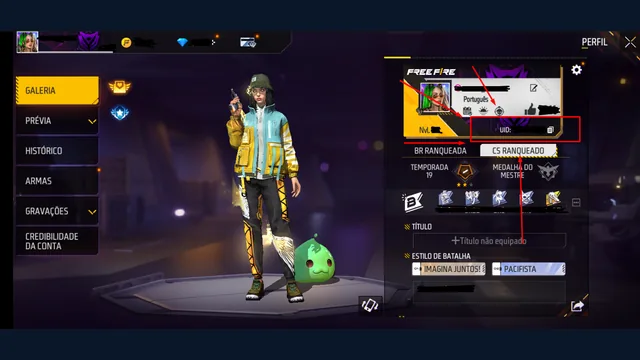
Losing access to a Free Fire account can mean two different things: the login provider will not let you sign in, or the game cannot connect that login to the character you expect. Identify which step fails before changing settings. A player UID helps describe the account, but it cannot replace its sign-in checks.
Identify the account layer that failed
Write down the provider you previously used and the last place you could sign in successfully. Can you open that provider's own app or website? If you can, does Free Fire show an error, or does it load a different UID? These observations lead to different next steps.
Avoid using a friend's account to experiment. That creates another identity to track and can confuse the record of what changed. The UID identification guide helps you compare profiles without relying on a nickname alone.
If you already have a usable recovery email
Garena's account-recovery instructions describe an in-game Account Recovery option for players who previously bound a recovery email. The flow verifies a code sent to that email, displays the lost account's name and UID, and allows binding to a different valid platform account. Check the displayed identity before confirming anything. This route depends on the recovery setup already attached to your account; it is not an email address you can invent after losing access.
Read the current in-game instructions before starting. Keep one clear record of the step that fails, including the error text. Repeatedly switching mailboxes or creating new profiles is unlikely to make that evidence clearer.
If no recovery email was bound
Garena directs players without a bound recovery email to recover access through the original login platform. Its lost-login help links the relevant provider recovery routes. Start from the provider's own app or help centre instead of a link sent by someone offering paid recovery.
Prepare the details you genuinely know. Separate exact facts from estimates: an approximate last-login date should be labelled approximate, and an old screenshot should retain its original date. Do not manufacture a purchase receipt or change account information to make a story appear more convincing.
Keep a small recovery log
- The original login provider and character UID.
- The exact error and when you first saw it.
- Whether the provider itself is accessible.
- Whether a previously bound recovery mailbox is accessible.
- The official recovery route attempted and its outcome.
Keep passwords, security codes and emailed OTPs out of this log. Enter verification codes only in the official recovery flow you intentionally opened. A stranger does not need your screen-sharing session to explain where a help page is.
After access returns
Compare the restored profile carefully and review the account security checklist. Treat a successful login as one checkpoint, then confirm that the account's ongoing recovery methods belong to you. If the official route cannot establish access, there is no legitimate UID-only shortcut or guaranteed recovery service to substitute for it.